GPS Navigation & Map Direction
Sharp Apps StudioMaps & Navigation
3.92.18K Reviews
- Version
- 3.8.28
- Installs
- 10.00M
- Age Rating
- Everyone
Screenshots
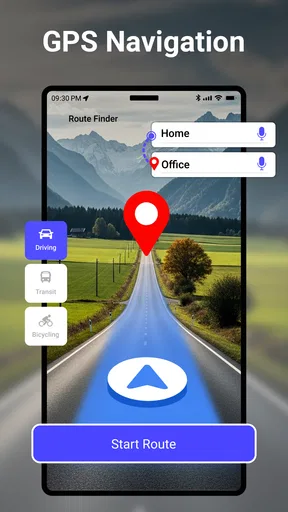
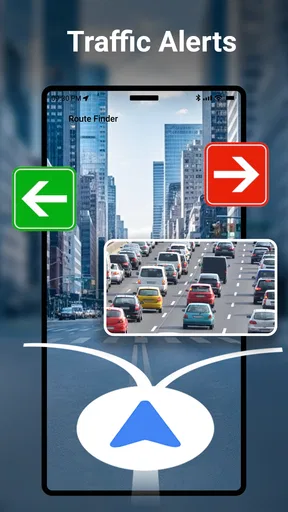

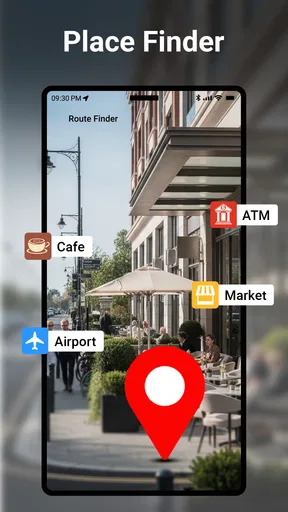
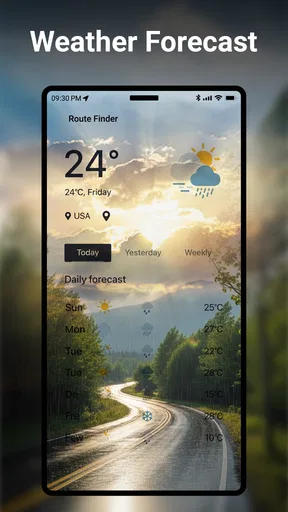
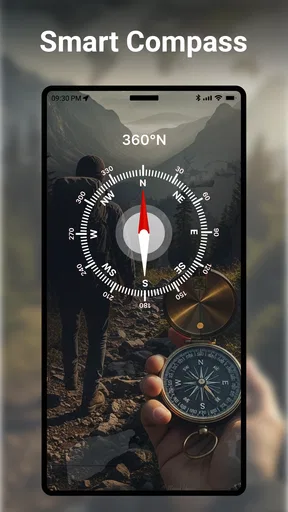
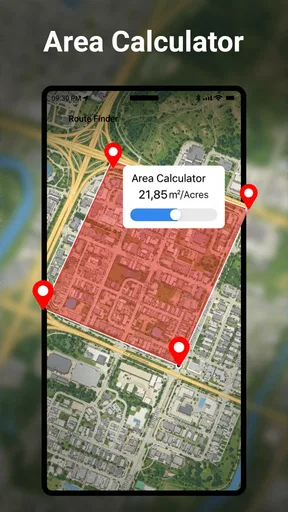
Our Review of GPS Navigation & Map Direction
 Analysis by Appyee
When someone else in the household needs directions, I care less about fancy map graphics and more about a simple handoff: can they find the destination, understand the route and use the phone without turning the trip into a puzzle? GPS Navigation & Map Direction is built around that practical job. It combines route finding with tools such as a compass, translator and currency converter, so it can be useful when a shared device is helping with more than the drive itself. I’d treat it as a convenient travel toolkit, though, not as a replacement for agreeing on who is navigating and checking the route before setting off.
Passing the phone around without passing responsibility
A realistic household use is a weekend outing where one person chooses the destination, another drives, and a passenger handles the screen. The passenger can enter the address and follow the directions, while the driver stays focused on the road. That division matters more than any feature: a navigation app can guide the trip, but it cannot make phone handling safe if the driver is trying to tap through menus.
On a shared phone, I’d make the person who is actually travelling confirm the destination before the car moves. A street name can lead to several plausible results, and a quick check of the selected place and route is an easy way to avoid starting in the wrong direction. If plans change mid-trip, the passenger can deal with the screen while the driver keeps their attention outside. This is a small routine, but it makes shared use calmer and reduces the temptation to fiddle with the phone at a junction.
Set up the trip before the rush
I find navigation apps most useful when I do the fiddly part before leaving: enter the destination, look over the route, and make sure the phone is ready to be used as a guide. GPS Navigation & Map Direction is aimed at quick route finding, but no app can remove the value of knowing the general direction of travel. A glance at the route before departure gives everyone in the car a shared reference point, especially if the passenger is not the usual navigator.
The additional tools can fit into the same preparation. A compass is handy as a basic orientation aid when you have stepped out of the car and are trying to work out which way to walk; a translator may help with a short travel interaction; and a currency converter can make a quick price comparison easier. I would not treat those tools as a substitute for specialist apps when accuracy or a complicated task matters. Their value is having useful travel aids together, not turning one navigation app into an expert tool for every situation.
If several people use the same device, agree who will enter destinations and change the route. That keeps accidental edits and conflicting instructions to a minimum. I would also avoid assuming that a shared phone automatically means shared preferences or a shared account: household members should check what is on screen and make their own choices about what they want to use. The app is most straightforward when one person handles navigation for a particular journey rather than several people tapping at once.
When this is the right kind of navigator
Compared with relying on a general map app that does little beyond showing streets, this one makes its travel extras part of the appeal. That mix suits someone who wants directions and occasional orientation or conversion tools in one place. If you already depend on a familiar navigation service for saved locations, established routines or a specific traffic workflow, switching may not be worthwhile just to collect more features. I’d compare the route guidance on journeys you know before making it my only option for unfamiliar travel.
For a short everyday drive, I would use it to find the destination and let the passenger monitor the route. For a longer trip, I would check the main route before leaving and keep a second source available if the directions become confusing or the phone loses its connection. That is not a knock on this app so much as sensible navigation practice: road layouts change, and an unfamiliar route deserves a little attention beyond following a moving line on a screen.
It is a better fit for people who want a free starting point for everyday directions and appreciate having a few travel utilities close at hand. It may be less suitable for someone who needs a very specific professional navigation workflow, or for a household that expects profiles, child-specific settings or coordinated family controls. I would not assume those features exist. If the main need is simply getting from one address to another, the core idea is easy to understand; if the household needs carefully separated personal setups, check that the app meets those needs before relying on it.
Features that Stand Out
One of the first things you'll notice about GPS Navigation & Map Direction is its user-friendly interface. It's intuitive, meaning you won’t waste time trying to figure out how to enter your destination or change your route preferences. You simply type in where you want to go, and boom, it’s ready to guide you.
The app offers real-time traffic updates, which are an absolute lifesaver during rush hour. If there's a jam ahead, it’ll reroute you, helping you save precious time. Plus, the voice-guided navigation means you can keep your eyes on the road and your hands on the wheel.
Extra Bells and Whistles
Beyond the basics, this app includes some nifty extras like speed limit alerts and lane guidance, which are super handy in unfamiliar areas. I particularly appreciated the offline map feature. Download the maps you need while you have internet access, and you’re good to go even if you find yourself in a dead zone.
For those of you who love exploring, the app’s points of interest feature lets you discover restaurants, gas stations, and attractions along your route. It’s like having a local guide in your pocket.
Is It Worth the Download?
So, is this app worth the space on your phone? Absolutely. Whether you're a frequent traveler, a daily commuter, or someone who just loves exploring new places, GPS Navigation & Map Direction simplifies your journeys. It’s reliable, easy to use, and packed with features that cater to all your navigation needs.
In a world where time is money, having a dependable navigation app can make all the difference. So, go ahead, give it a try, and let it guide you on your next adventure. You might just find yourself wondering how you ever navigated without it!
A sensible check before making it your household default
GPS Navigation & Map Direction is a free Maps & Navigation app from Sharp Apps Studio. It has a 4.3 average from around 67,000 ratings, and more than 10 million installs suggest that many people have tried it. The app is rated for Everyone and works on Android 6.0 or later; its current version is 3.8.4. Those details make it approachable for a broad range of Android users, but an age rating is not a substitute for supervision or a household agreement about who may use a phone while travelling.
There are in-app purchases, with items ranging from $1.99 to $46.99. I’d decide whether the free navigation experience covers the household’s needs before considering any purchase, and I would make sure the person paying understands what is being bought. That is particularly useful when a device is shared: a child borrowing a parent’s phone should not be left to make purchase decisions, and the account holder should review the purchase flow themselves.
One practical question is whether it can help when mobile coverage drops. The original review’s offline-map point is useful, but the key is preparation: while connected, download the areas you expect to travel through and test that the relevant map is available before depending on it. I would not assume every feature works offline; traffic updates and other online services naturally need a connection. For a route through remote stretches, keeping a broad sense of the route and a backup plan is wiser than trusting any single screen.
Another question is how much to rely on traffic rerouting. Live updates can help when a familiar commute slows down, but a suggested shortcut is not automatically better for every driver or passenger. If the alternative route would take you through confusing streets, narrow roads or a place you do not want to enter, use judgment rather than following every change blindly. On routine journeys, I’d learn the main route first and let the app assist with disruptions instead of treating its first suggestion as unquestionable.
My overall view is that this app works best as a shared travel aid with clear roles: one person chooses and checks the route, another drives, and everyone knows who is handling the device. Its combination of directions and small travel utilities can be handy for mixed errands or a trip where the group needs both road guidance and basic orientation. I would choose a different option if my household depends on a particular navigation ecosystem, needs clearly separated user profiles, or expects dedicated family coordination features. For straightforward everyday journeys, though, the accessible route-finding approach and extra tools make it a reasonable app to try, provided the household keeps safe phone habits and checks the route before setting off.
Privacy and Permissions
See what permissions an app requests and how it handles your data.
- Location
- approximate location (network-based), precise location (GPS and network-based)
- Photos/Media/Files
- read the contents of your USB storage, modify or delete the contents of your USB storage
- Storage
- read the contents of your USB storage, modify or delete the contents of your USB storage
- Camera
- take pictures and videos
- Wi-Fi connection information
- view Wi-Fi connections
- Other
- view network connections, full network access, control vibration, prevent device from sleeping, Google Play license check
Verdict
Strengths of GPS Navigation & Map Direction
- User-friendly interface, easy to navigate.
- Accurate real-time traffic updates.
- Offline maps for data saving.
- Voice-guided turn-by-turn directions.
- Customizable route options.
Limitations of GPS Navigation & Map Direction
- Consumes considerable battery power.
- Occasional GPS signal loss.
- Advertisements can be intrusive.
- Requires large storage space.
- Some features need a subscription.
Similar Picks in This Category
View All
Uber - Request a ride
Uber Technologies, Inc.4.7


inDrive. Rides with fair fares
® SUOL INNOVATIONS LTD4.8

Yandex Go: Taxi Food Delivery
Mikromobilnost LLC Belgrade4.8

Bolt: Request a Ride
Bolt Technology4.8

Rapido: Bike-Taxi, Auto & Cabs
Rapido Bike Taxi4.8
You May Also Like
View All

Frequently Asked Questions
How accurate is GPS Navigation & Map Direction?
GPS Navigation & Map Direction utilizes advanced satellite technology to provide highly accurate location data. It offers real-time positioning with a typical accuracy of 5-10 meters under open sky conditions. However, accuracy can be affected by factors such as tall buildings, dense trees, or poor weather conditions.
Does GPS Navigation & Map Direction require an internet connection?
The app primarily uses offline maps, meaning you can download maps for specific regions and use them without an internet connection. However, certain features like live traffic updates and real-time route recalculations do require a data connection to function properly.
What features does GPS Navigation & Map Direction offer?
This app offers a variety of features including turn-by-turn voice guidance, speed limit alerts, lane assistance, and real-time traffic updates. It also integrates with popular services for points of interest, allowing users to find nearby restaurants, gas stations, and other essential stops along their route.
Is GPS Navigation & Map Direction compatible with all devices?
GPS Navigation & Map Direction is designed to be compatible with most Android and iOS devices. However, older devices may experience slower performance or lack support for certain features. It’s advisable to check the app’s system requirements on the download page to ensure compatibility with your device.
Can I customize my routes in GPS Navigation & Map Direction?
Yes, the app allows for route customization. Users can choose alternative routes, avoid tolls, ferries, or highways, and even add multiple stops along their journey. This flexibility ensures you can tailor your navigation experience to meet specific travel needs or preferences.
